【Vibe Coding 教學】用 Lovable 把你的 Prompt 變成完整可交付專案(附 GitHub+自動部署)
你不是只能用 AI 寫一段 code,現在連整個專案都能幫你生好、上線還同步 GitHub!這篇示範如何用 Lovable,把一段 prompt 變成完整 App:自動生成 UI、README、GitHub 同步、還能一鍵發佈網站。適合交作業、交作品、交 side project,用想法直接交付成果。

你可能聽說過「AI 幫你寫程式」,但你知道 AI 不只會寫程式,還能幫你完成專案的完整交付嗎?
本篇教學將展示如何透過 Lovable,一鍵將你心中的 App 想法變成完整可交付的前端專案,包含:
- 自動生成 UI 與互動功能
- 完整的 README 說明文件
- 同步到 GitHub 程式庫
- 一鍵自動部署發佈網站
無論你是想要快速製作作品集、期末專案展示、或是 side project,透過 Lovable,你不需要手動設定複雜的開發環境,也不需要另外學習部署流程,從 prompt 到專案上線,都能透過 AI 自動化完成。
- 一、Lovable 是什麼?適合誰?
- 二、實際範例:用 Lovable 做出「研究所申請管理工具」
- 三、示範成品展示與應用情境
- 四、為什麼這叫 Vibe Coding?
- 五、馬上試試看
- 【Vibe Coding】I Used Lovable to Build a Fully Deployable App from a Single Prompt — README, GitHub, and Hosting Included
一、Lovable 是什麼?適合誰?
Lovable 是一個結合了最新 AI 技術的開發工具,它可以根據你提供的文字描述(prompt),直接生成完整的前端應用程式,包括互動邏輯和 UI 設計。更重要的是,它還可以自動生成專案文件、同步 GitHub,甚至直接幫你把網站部署上線。
適合使用 Lovable 的人:
- 想快速完成前端應用或 demo 的學生
- 需要快速交付可展示成果的設計師或產品經理
- 沒有時間學習部署與 Git 流程的新手開發者
- 想打造 side project 卻時間有限的職場人士
不想付費給 Lovable? 免費版在這邊:
 Vicky Tsai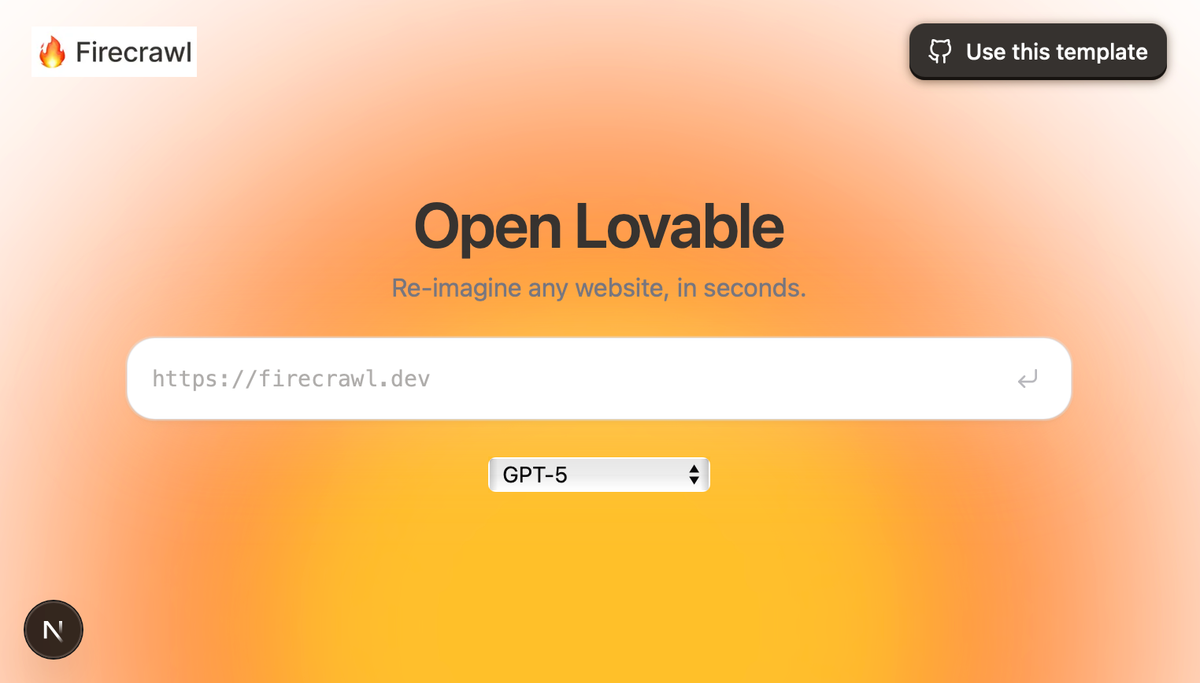
二、實際範例:用 Lovable 做出「研究所申請管理工具」
本次範例展示如何從 prompt 出發,打造一個幫助學生管理美國研究所申請的完整 App,包含 Deadline tracker、Kanban 追蹤、成績管理等功能。
Step-by-Step 流程
Step 1. 撰寫 Prompt
首先,你需要清楚說明你的應用需求,例如:
「幫我製作一個 2026 Fall MSCS 申請追蹤工具,功能包含 Deadline 管理、學校狀態儀表板、申請門檻顯示(GPA、GRE、托福)、就業機會統計,並以 React 和 Tailwind 完成前端設計。」
💡你可以先透過 ChatGPT 協助優化 prompt,讓它更明確
Step 2. 將 Prompt 貼入 Lovable
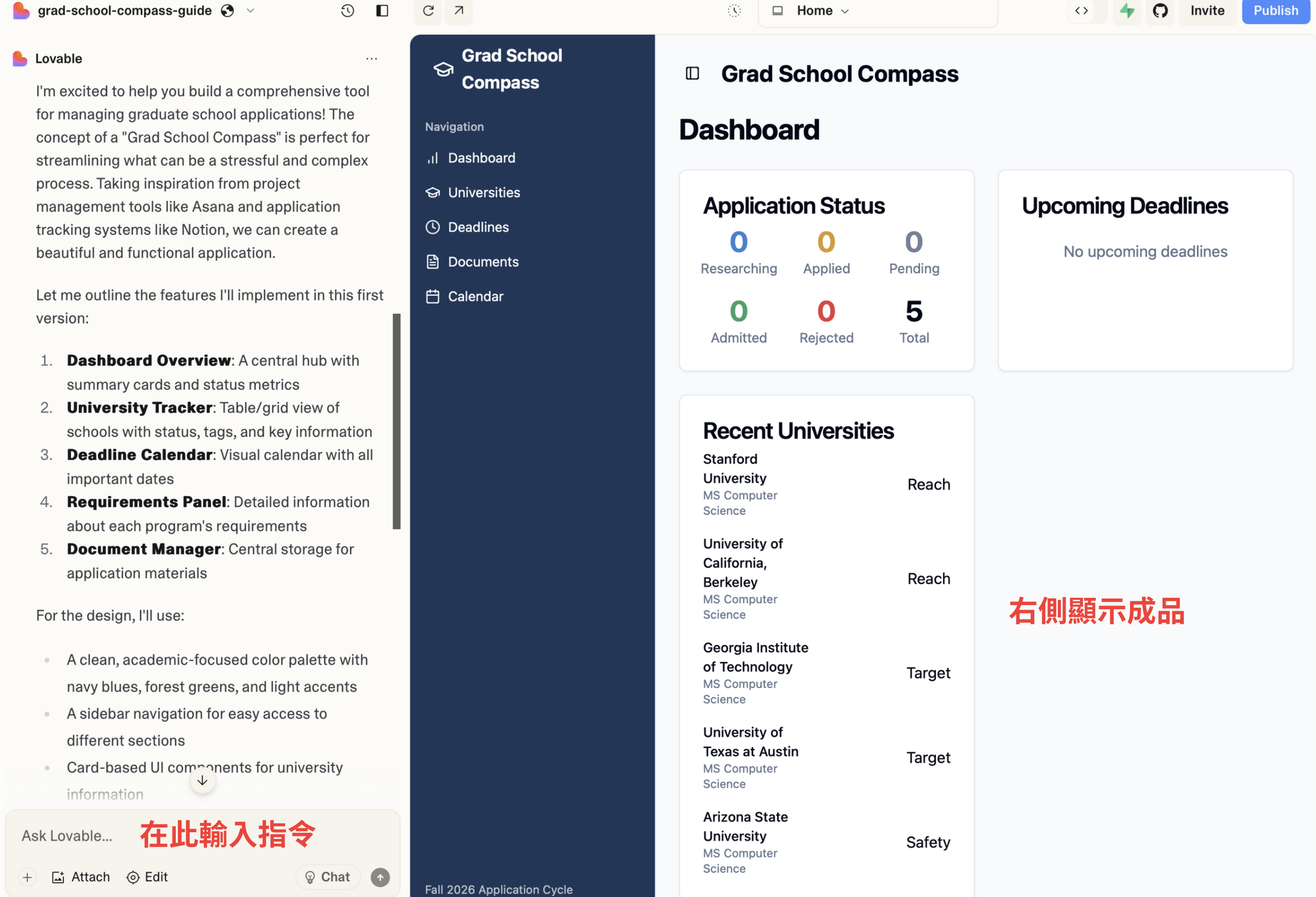
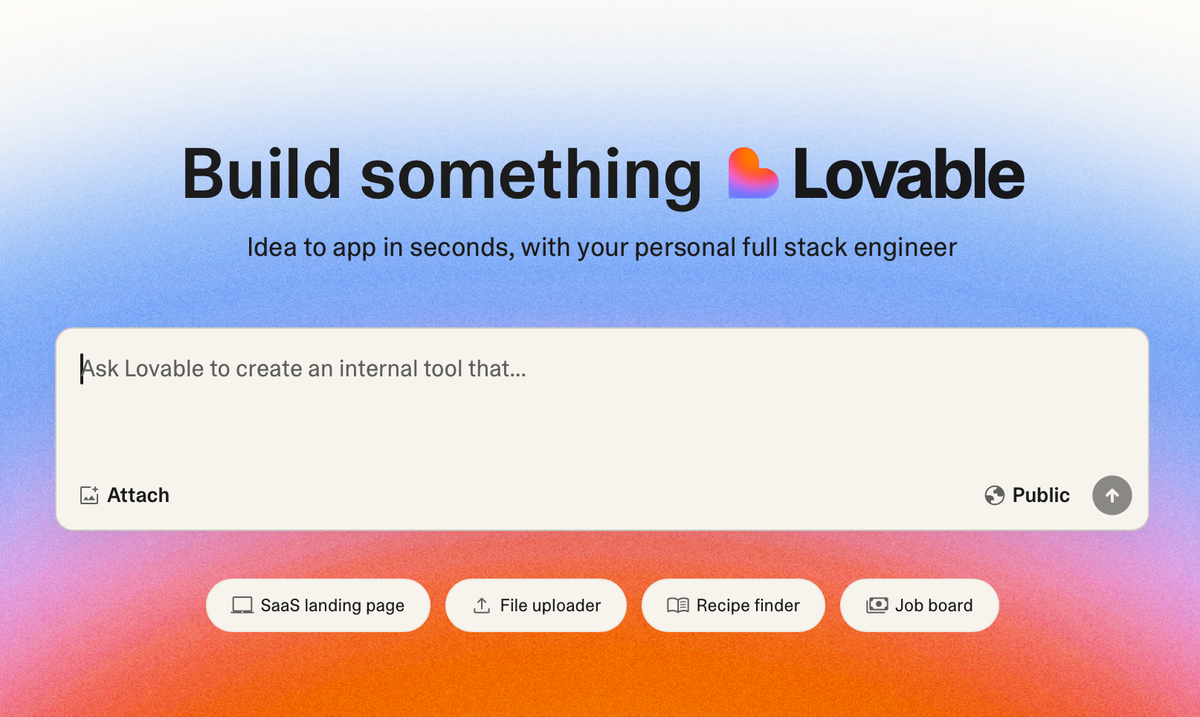
打開 Lovable 官網,貼入你的 prompt 後,Lovable 將會開始自動生成專案:
- 完整的 UI 界面與互動
- 程式架構:Vite + React + Tailwind CSS
- 互動邏輯與前端元件(如按鈕、輸入欄位等)
你可以直接在 Lovable 上預覽專案的外觀與操作體驗。
Step 3. AI 產出 README 文件
Lovable 會自動幫你生成完整的 README 文件,包含:
- 專案的用途與說明
- 本地開發步驟 (git clone, npm install, npm run dev)
- GitHub 同步與部署指引
- 專案使用技術堆疊 (如 Vite, React, TypeScript, Tailwind CSS 等)
這意味著你未來交付專案時,不用再另外花時間撰寫技術文件。
Step 4. 同步 GitHub
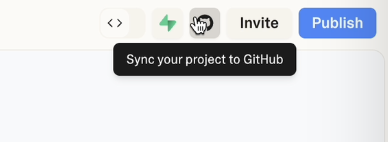
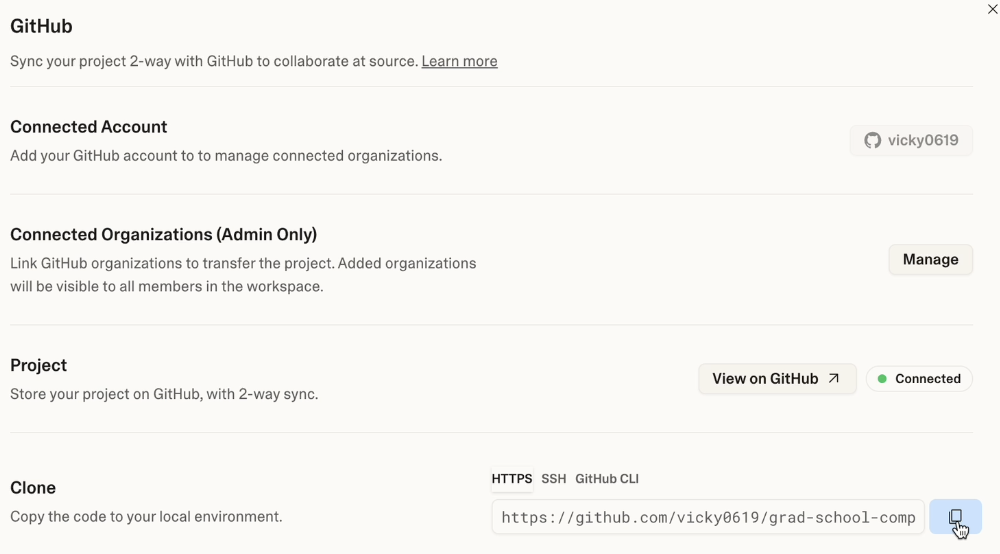
Lovable 提供一鍵同步 GitHub 功能,你只需要:
- 點選畫面右上方 Sync your project to GitHub
- 照著畫面指示完成登入與授權
專案程式碼與文件就會立即同步到你的 GitHub 帳號中,之後你也能在自己的 IDE 或 GitHub 直接編輯程式碼。
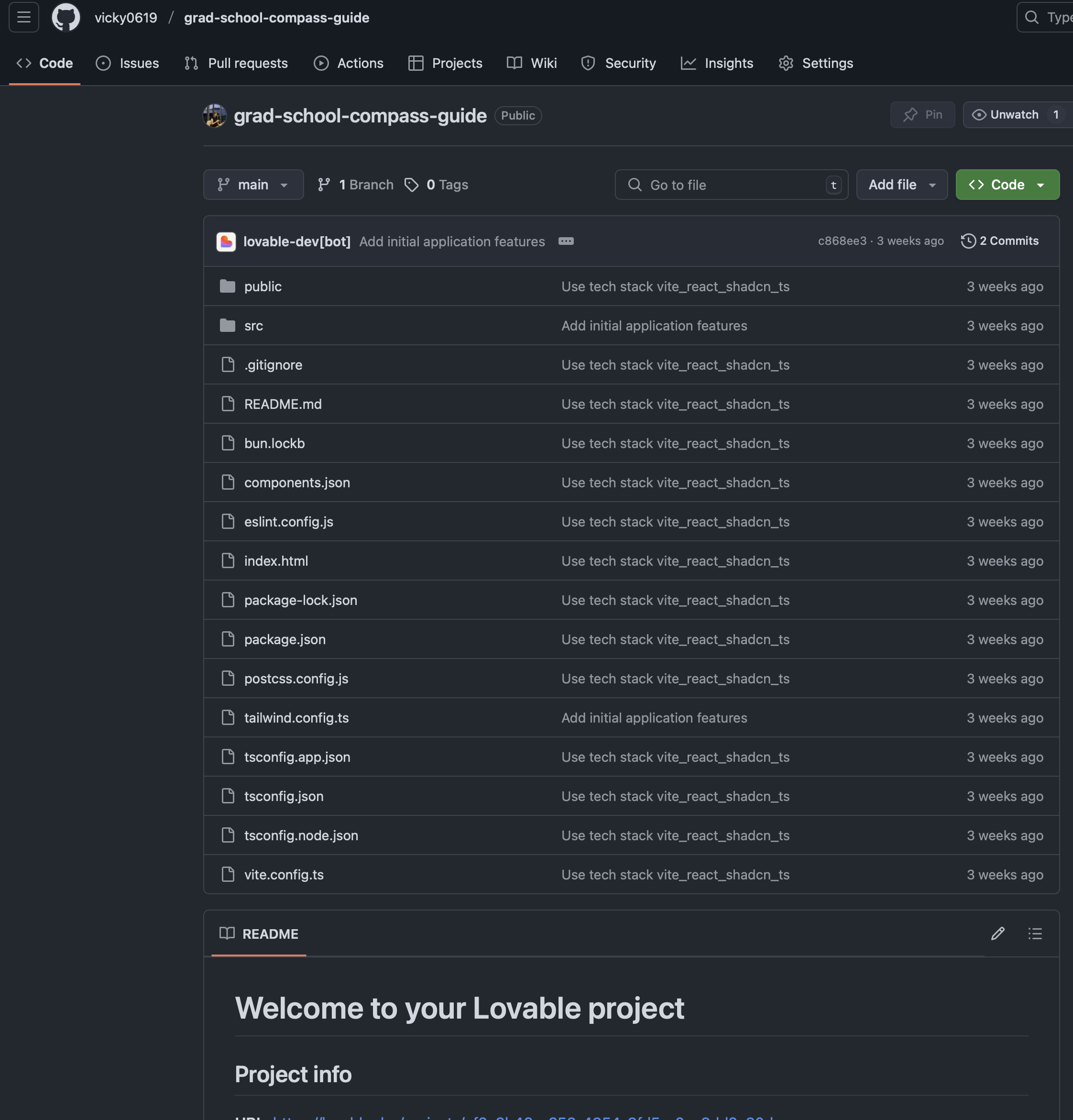
Step 5. 一鍵自動部署
當你覺得專案狀態完成後,你無需另外部署到第三方平台(如 Vercel 或 Netlify),Lovable 內建了「一鍵部署」功能:
- 點選右上方 Publish
- Lovable 自動幫你產生一個公開網址
至此,你的 App 從一個簡單的文字描述,到實際可用的網站應用,全程只需不到幾分鐘。
三、示範成品展示與應用情境
透過 Lovable 所生成的申請追蹤工具,你可以:
- 清楚管理研究所申請的截止日期
- 自訂追蹤每所大學的狀態(申請中、已錄取、未錄取)
- 一目了然各大學的 GPA 與語言門檻
- 簡單追蹤不同學校未來的就業前景
這樣的工具不只限於研究所申請,也適用於職場轉職規劃、國外申請、產品開發流程管理,甚至生活專案規劃。
四、為什麼這叫 Vibe Coding?
過去你可能需要:
- 花大量時間撰寫程式碼
- 學習複雜的 GitHub 流程
- 手動部署網站到 Vercel 等平台
現在,透過 AI 工具如 Lovable,你只需要一個明確的想法(prompt),就能快速生成並部署出真正可用的專案,這就是「Vibe Coding」精神:
「技術不再是障礙,重點是你的想法與創造力。」
五、馬上試試看
你已經學會如何用 Lovable 一鍵生成可交付的專案,接下來就輪到你了!
- 如果你想要實際嘗試這個範例專案的 prompt 與完整步驟,歡迎在下方留言或直接聯繫我們。
- 如果你有其他想做但沒時間完成的專案,現在也試著用 Lovable 一鍵生成看看吧。
工具連結:
希望這篇文章能幫助你輕鬆完成專案交付,讓你的創意更快落地!
【Vibe Coding】I Used Lovable to Build a Fully Deployable App from a Single Prompt — README, GitHub, and Hosting Included
You’ve probably heard that AI can write code. But did you know that it can now handle an entire project delivery—from UI to deployment?
In this tutorial, I’ll show you how to use Lovable, a next-gen AI-powered tool that can turn a single prompt into a fully functional frontend project. It gives you:
- Automatically generated UI and interactive features
- A complete README file
- GitHub repository sync
- One-click deployment with a public URL
Whether you’re working on a portfolio site, final project, or side hustle, Lovable automates the entire build-to-deploy pipeline, with no manual setup or devops skills needed.
1. What Is Lovable—and Who Should Use It?
Lovable is an AI-based development platform that turns your plain language prompt into a complete frontend application—UI design, layout logic, and all.
Even better: it generates technical documentation, syncs with your GitHub repo, and publishes your site with one click.
Who is this tool for?
- Students building frontend apps or demo projects
- Designers or PMs who need to deliver working prototypes
- Beginners who don’t want to deal with Git and deployment
- Busy professionals looking to launch quick MVPs or side projects
2. Real Example: A Graduate School Application Tracker
Let’s walk through a real use case—building an app to track U.S. graduate school applications. The app includes:
- Deadline tracker
- Kanban-style status management
- Application criteria (GPA, GRE, TOEFL)
- Job outcome reference data
Step-by-Step Guide
Step 1: Write a Clear Prompt
Here’s an example prompt:
“Build a Fall 2026 MSCS application tracker. The tool should include deadline management, a dashboard for application status per university, display of admission criteria (GPA, GRE, TOEFL), and job placement statistics. Use React and Tailwind for the frontend.”
Tip: You can first refine this prompt using ChatGPT to make it even more structured.
Step 2: Paste the Prompt into Lovable
Go to Lovable, paste your prompt, and the platform will begin generating the project:
- Fully interactive frontend UI
- Codebase built with Vite + React + Tailwind CSS
- Working components like buttons, forms, and layout logic
You can preview the working app instantly inside Lovable.
Step 3: Lovable Auto-Generates the README
Lovable will also generate a professional README.md file that includes:
- What the project does
- Local development instructions (git clone, npm install, npm run dev)
- GitHub and deployment integration
- Tech stack: Vite, React, TypeScript, Tailwind CSS, and more
This saves you time and helps you share a complete, professional project.
Step 4: Sync to GitHub
Lovable allows you to sync your project to GitHub with a single click:
- Click “Sync to GitHub”
- Follow the on-screen instructions to log in and authorize access
Your code and README are automatically pushed. You can now edit it in GitHub or in your local IDE.
Step 5: One-Click Deployment
Once you’re ready to share your app, there’s no need for Vercel, Netlify, or manual hosting. Lovable includes native deployment:
- Click “Publish”
- Get an instant public URL
From concept to live app, the entire process takes just minutes.
3. Example Use Case
With the grad school application tracker built by Lovable, you can:
- Track deadlines across multiple schools
- Visually manage application statuses (In Progress, Admitted, Rejected)
- View GPA and language score requirements at a glance
- Explore potential job outcomes by school
And that’s just one example. Lovable can also be used for:
- Career change tracking tools
- College application dashboards
- Product development pipelines
- Personal project management websites
4. Why This Is “Vibe Coding”
In the past, launching an app meant:
- Writing hours of code
- Learning Git workflows
- Setting up a deployment service
Now, tools like Lovable let you start with an idea, describe it in natural language, and walk away with a fully working project.
This is the spirit of Vibe Coding:
“The tech is invisible. What matters is your creativity.”
5. Try It Yourself
Now that you know how to build and deploy a complete frontend app using just a prompt, it’s your turn.
- Want the exact prompt and tutorial steps used in this example? Leave a comment and we’ll send it to you.
- Have a side project idea but no time to build it? Try Lovable—you might be done in 10 minutes.
Tool Link:
Lovable Official Website
We hope this guide helps you turn your ideas into reality—faster than ever.