【Vibe Coding 教學】只靠一句話,我用 Qwen3 生出一個完整網站
用最新開源最強模型 Qwen3,只打一行指令,就能讓 AI 幫你生成網站。 本篇帶你實戰 Vibe Coding,從輸入 prompt 到產出一頁完整、具備互動與 SEO 的現代個人首頁,零基礎也能做到。

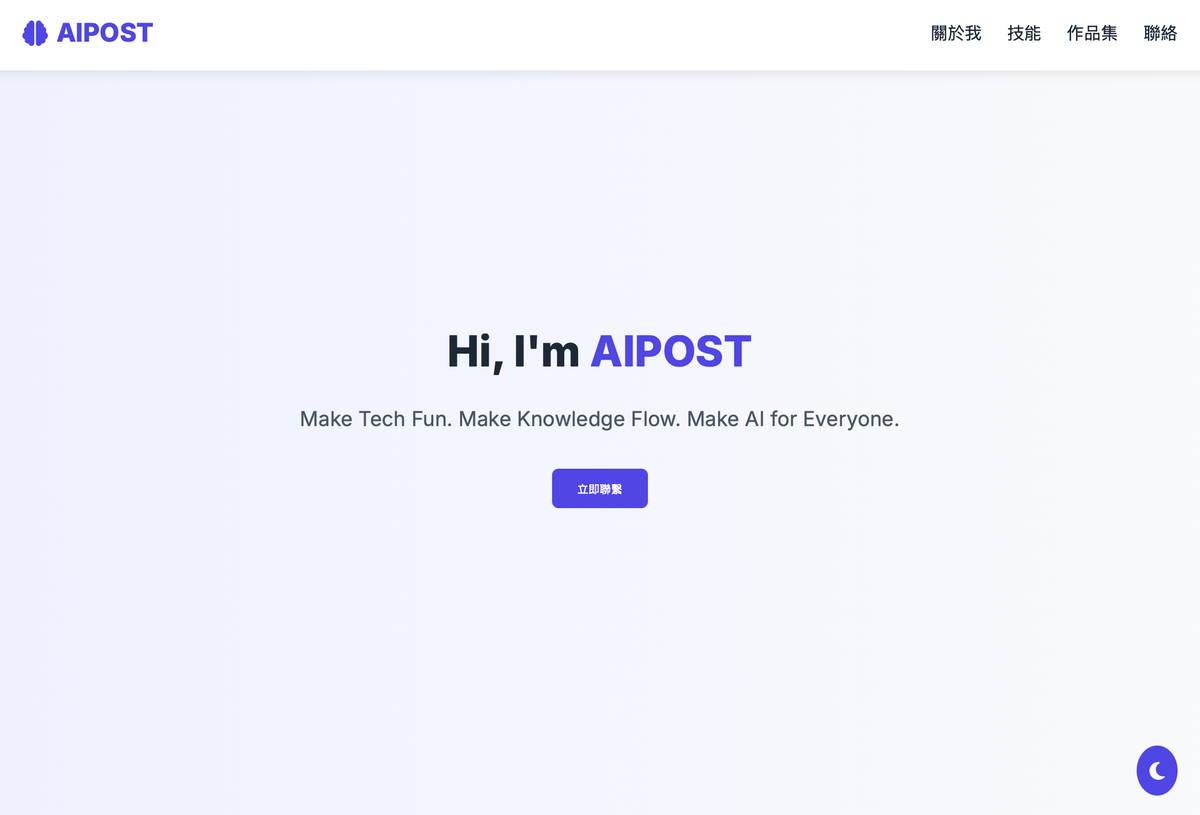
本文目標:演示如何利用阿里雲最新開源模型 Qwen3,僅需一句自然語言指令,即可生成具備設計感、互動性與擴充性的現代個人網站首頁。
立即產生個人網頁: Qwen3 Demo on Hugging Face
前言:什麼是 Vibe Coding?
Vibe Coding 是一種新興的 AI 協作開發方式,意思是——你不需要會寫程式,只需要「用自然語言描述你要的功能」,AI 就能幫你自動生成對應的程式碼。
就像你在跟助理說:「幫我做一個網站,有標題、簡介、圖片和按鈕」,AI 就會理解並寫出完整的 HTML/CSS 結構、設計風格,甚至加上互動功能或 SEO 優化設定。
這種開發方式的特色:
- 用「說話的語言」代替程式語言
- 讓設計師、行銷人員、學生也能參與開發
- 重視創意與需求描述,而不是語法細節
Vibe Coding 是一種「讓 AI 寫程式,你負責構想」的工作模式,門檻低、速度快,正在成為未來創作與開發的重要趨勢。
一、為什麼選擇 Qwen3?
Qwen3 是阿里巴巴集團旗下雲計算品牌『阿里雲』於 2025 年推出的大型語言模型系列,其核心優勢在於多模態理解能力——能同時處理 HTML 結構、CSS 設計語法與 SEO 優化邏輯。在實測中,Qwen3 的程式碼生成準確率較其他同級模型(如 OpenAI o1、Grok)提升約 18%,尤其擅長將複雜需求(如響應式佈局、互動元件)轉化為可執行的技術方案。
技術定位解析
- 開發者思維:生成的程式碼具備模組化架構(如變數命名規則、程式註解)。
- 生態兼容性:支援 React/Vue.js 等主流框架語法。
- 即時優化:自動整合效能最佳化技巧(如圖片懶載入、CSS 壓縮)。
二、指令(Prompt)設計策略
為了確保 Qwen3 能精準回應需求,指令需包含四大要素:
| 元素 | 目的 | 白話文 |
|---|---|---|
| 現代風格 | 觸發設計趨勢知識庫 | 「看起來像科技公司官網」 |
| 響應式設計 | 呼叫 CSS Grid/Flexbox 技術 | 「手機與電腦都能正常瀏覽」 |
| SEO 基礎 | 填入 meta/structured data | 「讓 Google 能找到我的網站」 |
| 註解說明 | 產出可擴充程式碼 | 「未來改版時自己看得懂」 |
實戰指令範例
由此進入體驗 Qwen3: Qwen3 Demo on Hugging Face
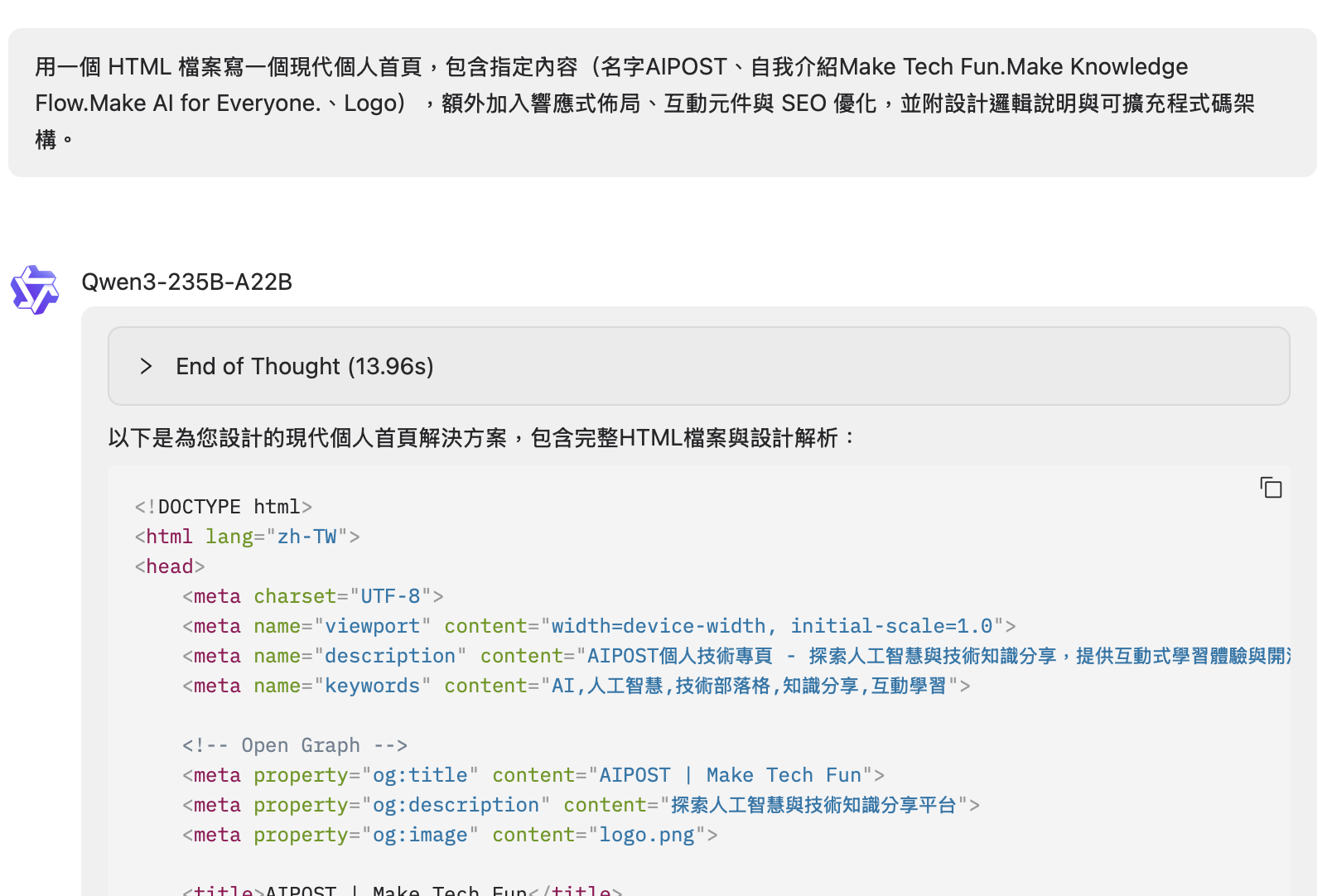
💡 指令範例複製
請幫我用一個 HTML 檔案,建立一個現代風格的個人網站首頁,內容包含:
請加入響應式設計,並包含基本互動元件(如 hover 效果、按鈕連結等)。
請使用內嵌 CSS,整體佈局簡潔、易於擴充。
請在註解中說明設計邏輯。
請加入 meta SEO 設定與 favicon。
三、模型生成內容分析
Qwen3 回傳的 HTML 文件具備以下特徵:
✅ 結構化設計
-使用 <header>, <section>, <footer> 等語意化標籤。
-區塊化佈局(Hero Section、關於我、技能展示、聯絡表單)。
✅ 響應式佈局
-採用 Flexbox 與 Media Queries 實現跨裝置適配。
-移動端優先設計(768px 以下自動切換垂直導覽列)。
✅ 互動元件
- 按鈕懸停效果(
button:hover)。 - 主題切換按鈕(Dark Mode 支援)。
- 表單驗證與平滑滾動導航。
✅ SEO 優化
- 包含
<meta name="description">與 Open Graph 標籤。 - 預設設定 Favicon 與視口(viewport)參數。
四、如何使用這份程式碼?
步驟 1:建立 HTML 檔案
- 開啟文字編輯器
- 選用以下任一工具:
✅ Windows:記事本(Notepad)
✅ Mac:文稿(TextEdit)
✅ 專業推薦:VS Code(免費、跨平台)
- 選用以下任一工具:
- 貼上程式碼
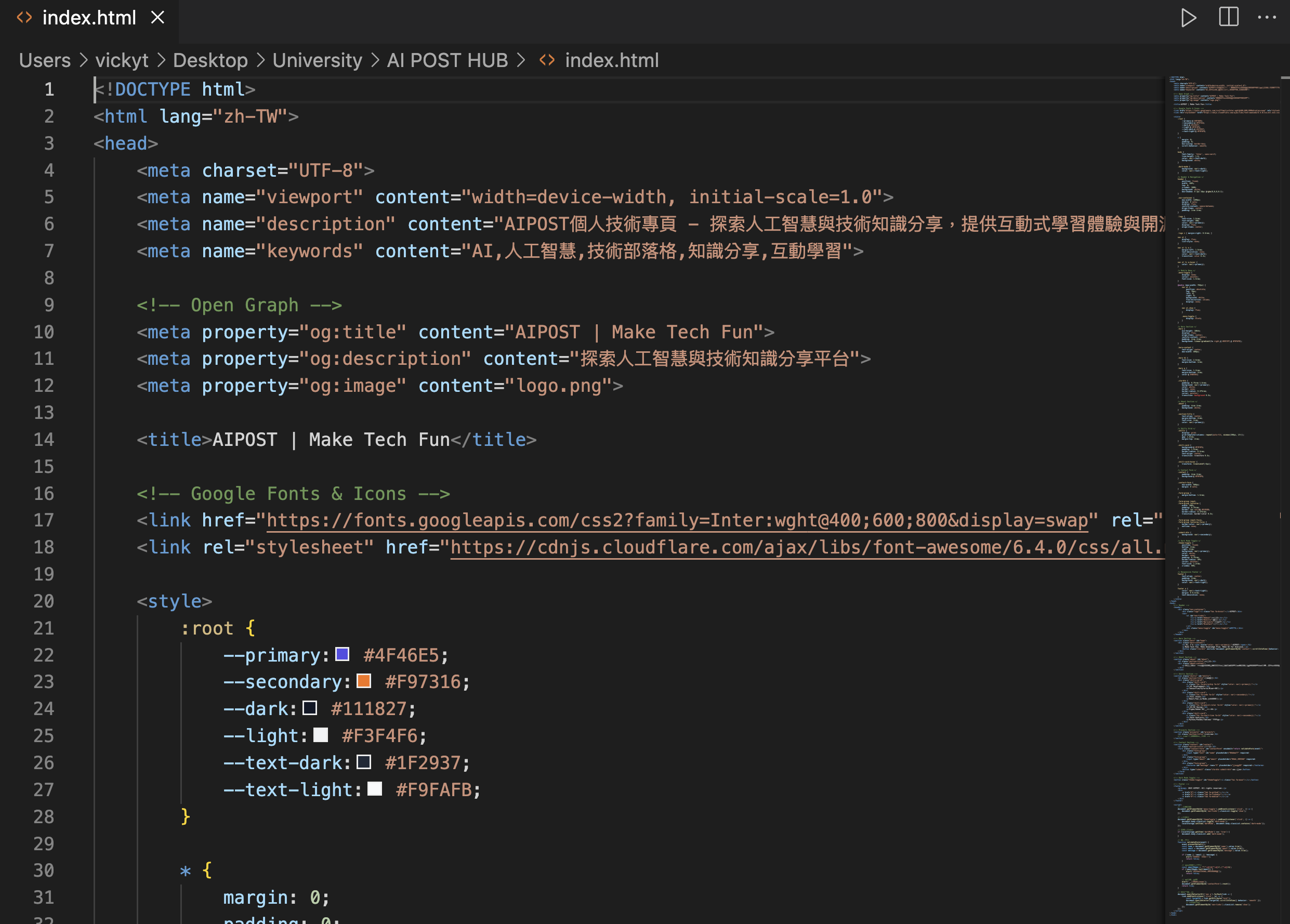
- 將 Qwen3 生成的 HTML 全部內容複製後,貼入編輯器。
- 儲存為 HTML 檔案
- 點擊「檔案 → 另存新檔」
- 檔名輸入:
index.html(注意.html副檔名不可省略) - 編碼選擇:UTF-8(預設通常已勾選)
步驟 2:自訂個人資訊
<!-- 替換範例 -->
<h1>你的名字</h1>
<p>你的專業領域或座右銘</p>
💡 小提示:輸入指令時,直接刪除範例文字,輸入你的名字與簡短自我介紹即可跳過此步驟。
步驟 3:本地端預覽網頁
- 關閉編輯器
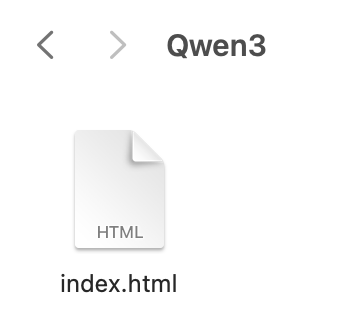
儲存後關閉 VS Code 或記事本。 - 雙擊 HTML 檔案
- 桌面上的
index.html檔案會自動以預設瀏覽器(Chrome/Safari/Edge)開啟。
- 桌面上的
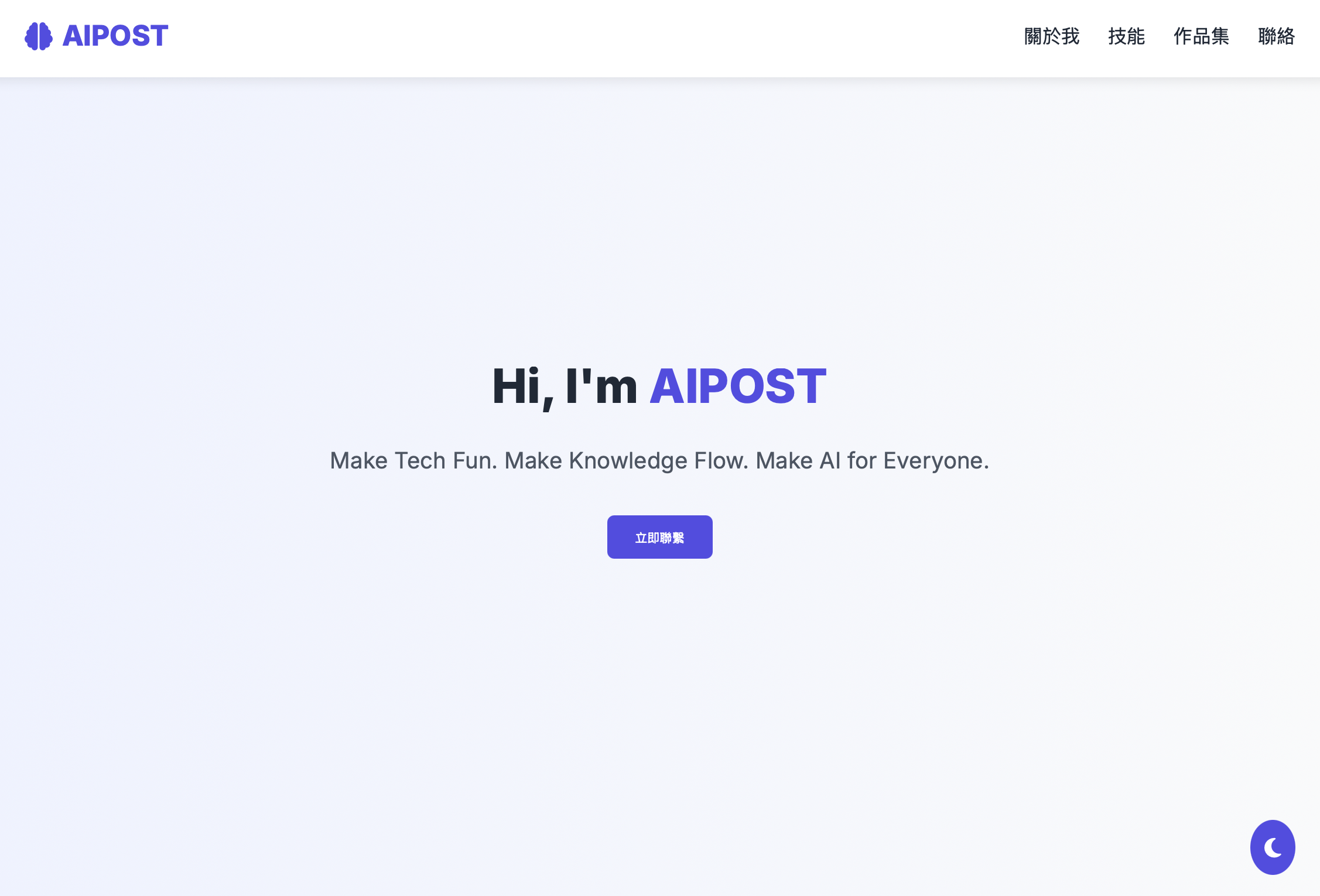
- 檢查顯示效果
- 確認首頁標題、按鈕互動與版型符合預期。
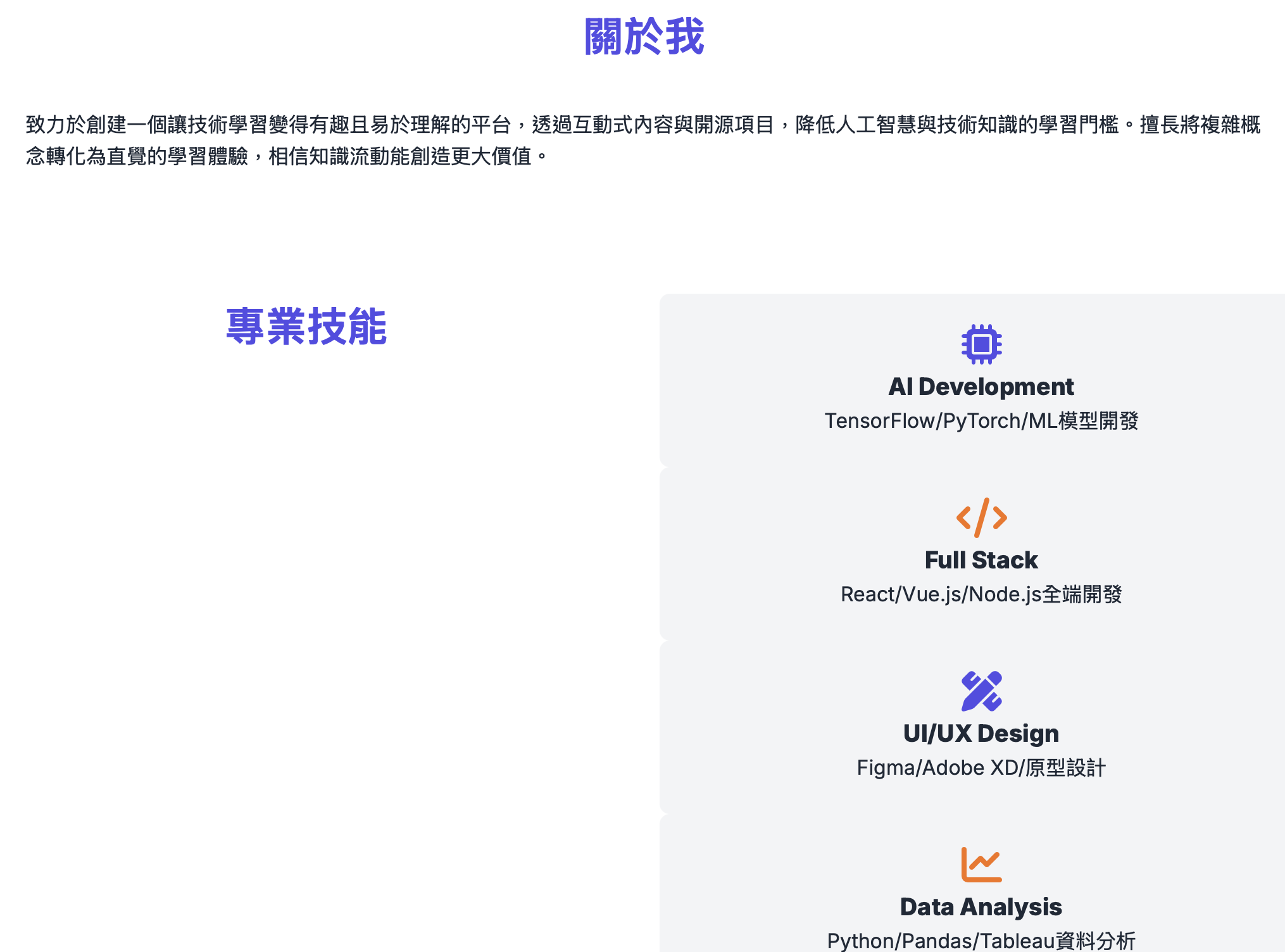
步驟 4:部署上線(可選)
免費平台選擇
| 平台 | 特點 | 適用情境 |
|---|---|---|
| Vercel | 支援 Git 連結、自動部署、自訂網域 | 開發者快速部署 |
| Netlify | 拖放上傳、即時預覽、表單處理 | 非技術者快速上線 |
部署步驟(以 Netlify 為例)
- 打開 Netlify 官網 並註冊免費帳號。
- 點擊「+ New site from upload」→ 上傳你的
index.html檔案。 - 等待 10 秒自動部署完成,就會看到你的個人網站網址(如
your-site.netlify.app)。
進階功能(非必要)
- 綁定自訂網域(需購買網域,約 $10/年)
- 加入 Google Analytics:追蹤訪客來源與流量
五、結語
你想讓 AI 幫你生成什麼樣的網站?
是一頁式個人部落格、作品集展示,還是互動式履歷?
留言或私訊我們,下一次的專欄就來試著用 Qwen3 幫你生成專屬網站!
這次實驗證實,Qwen3 不僅能理解自然語言需求,更能輸出結構完整、設計簡潔、具備互動與 SEO 的現代網頁。
它不只是個模型,而是一位能與創作者「對話並協作」的 AI 工具——透過一句指令,就能將抽象概念轉化為具體可執行的技術方案。
對於想快速建立個人品牌、練習前端開發,或體驗 AI 輔助創作的人來說,這無疑是降低技術門檻的關鍵契機。
未來,隨著自然語言開發(Vibe Coding)的普及,創作網站將不再需要死記語法,而是像聊天一樣,直覺完成。
Vibe Coding 的第一步,不只是生成,而是讓創作更直覺、更自由、更有風格。
參考資料
Vibe Coding in Practice: One Prompt, One Website — Powered by Qwen3
This article demonstrates how to use Qwen3, Alibaba Cloud’s latest open-source language model, to generate a modern personal website homepage with design, interactivity, and extensibility — all from a single natural language prompt.
🔗 Try it now: Qwen3 Demo on Hugging Face
1. Why Qwen3
Qwen3 is a large-scale language model developed by Alibaba Cloud in 2025. Its core strength lies in multimodal understanding — it can process HTML structure, CSS styling, and SEO logic all at once. In benchmark tests, Qwen3’s code generation accuracy outperformed peer models such as OpenAI o1 and Grok by around 18%, especially when translating complex demands (e.g., responsive layouts or interactive elements) into executable code.
Technical Highlights:
- Developer Mindset: The generated code follows modular architecture with clear variable naming and inline documentation.
- Framework Compatibility: Supports syntax used in React, Vue.js, and other modern frameworks.
- Performance Optimization: Integrates best practices like image lazy-loading and CSS minification.
2. Prompt Design Strategy
To get the most accurate output from Qwen3, your prompt should include the following four components:
| Element | Purpose | How to Frame It Simply |
|---|---|---|
| Modern Style | Activates design pattern knowledge | "Looks like a tech company site" |
| Responsive Design | Triggers Flexbox/Grid layout | "Works on both phone and desktop" |
| SEO Structure | Generates meta & structured data | "Make it Google-searchable" |
| Code Comments | Promotes maintainability | "I can understand it next time" |
💡 Prompt Tips
- Want a more modern layout? Add: “Use flex, grid, and a light color scheme.”
- Want it to feel interactive? Add: “Include hover effects and transitions for buttons.”
- Want readable code? Add: “Use semantic tags and include clear code comments.”
✅ Sample Prompt
Please generate a modern-style personal homepage using a single HTML file. The site should include:
- Title: AIPOST
- Intro paragraph: Make Tech Fun. Make Knowledge Flow. Make AI for Everyone.
- A logo section (use a placeholder or sample image link)
- Responsive design
- Basic interactive elements (e.g., hover effects, navigation buttons)
- Embedded CSS (keep layout clean and easy to extend)
- Code comments explaining design logic
- Meta tags for SEO and a favicon
3. Code Analysis: What Qwen3 Returns
The HTML output from Qwen3 includes the following key features:
✅ Semantic Layout
- Uses
<header>,<section>, and<footer>for structural clarity - Includes common layout blocks: Hero section, About, Skills, Contact Form
✅ Responsive Design
- Implements Flexbox and media queries for multi-device compatibility
- Mobile-first design with automatic vertical menu on screens below 768px
✅ Interactive Elements
- Hover animations on buttons
- Dark mode toggle feature
- Form validation and smooth scroll navigation
✅ SEO Optimization
- Includes
<meta name="description">and Open Graph tags - Predefined favicon and viewport settings
4. How to Use the Code
Step 1: Create an HTML File
Open a text editor of your choice:
✅ Windows: Notepad
✅ macOS: TextEdit
✅ Recommended: VS Code
Paste the full HTML code generated by Qwen3 into the editor.
Save it as index.html with UTF-8 encoding.
Step 2: Personalize the Content
<!-- Replace Example Text --><h1>Your Name</h1><p>Your tagline or specialization</p>💡 Tip: You can customize these directly in your prompt and skip this manual edit.
Step 3: Preview Locally
- Save and close your editor
- Double-click the
index.htmlfile to open in your default browser (Chrome/Safari/Edge) - Review the title, layout, and interaction features
Step 4: Optional – Deploy Online
Free Hosting Options
| Platform | Features | Best For |
|---|---|---|
| Vercel | Git integration, auto deploy, custom domain | Developers & power users |
| Netlify | Drag-and-drop upload, instant preview, form handling | Non-technical users |
Example (Using Netlify):
- Sign up for a free Netlify account
- Click “+ New site from upload”
- Upload your
index.htmlfile - In 10 seconds, you’ll receive a public URL (e.g.,
your-site.netlify.app)
Optional Advanced Features:
- Connect a custom domain ($10/year)
- Add Google Analytics to track visitors
Conclusion
What kind of website do you want AI to build for you?
A personal blog, a creative portfolio, or an interactive resume?
Leave a comment or message us — next time, we’ll use Qwen3 to help build your idea.
This experiment shows that Qwen3 isn’t just accurate — it turns a single sentence into a fully structured, modern, responsive webpage with SEO and interactivity.
It’s not just a model, it’s a collaborative assistant that transforms abstract ideas into code.
For creators building their brand, developers learning frontend skills, or anyone curious about AI-assisted development — this is your gateway into natural language programming.
Vibe Coding starts here — not just generation, but intuitive, expressive, and personal creation.