【Vibe Coding】Jules 教學|Google 最新 AI 程式碼助理實測:一句話補出完整後端 + API(附操作步驟)
你是不是也用 Canva AI 或 Lovable 寫出漂亮的 HTML 前端畫面,結果卡在後端不知道怎麼寫、也不知道資料該怎麼存?Google 在 I/O 2025 推出全新 AI 程式碼助理 Jules,只要一句話,就能自動補上後端架構與 API,還會直接幫你 push 到 GitHub。本文實測使用流程,手把手教你從指令輸入到程式碼產出,一步步體驗真正的 Vibe Coding。

你是不是也曾經用 Canva AI 或 Lovable 做出漂亮的 HTML 畫面,卻卡在後端不知道怎麼寫,資料該怎麼存也完全沒頭緒?
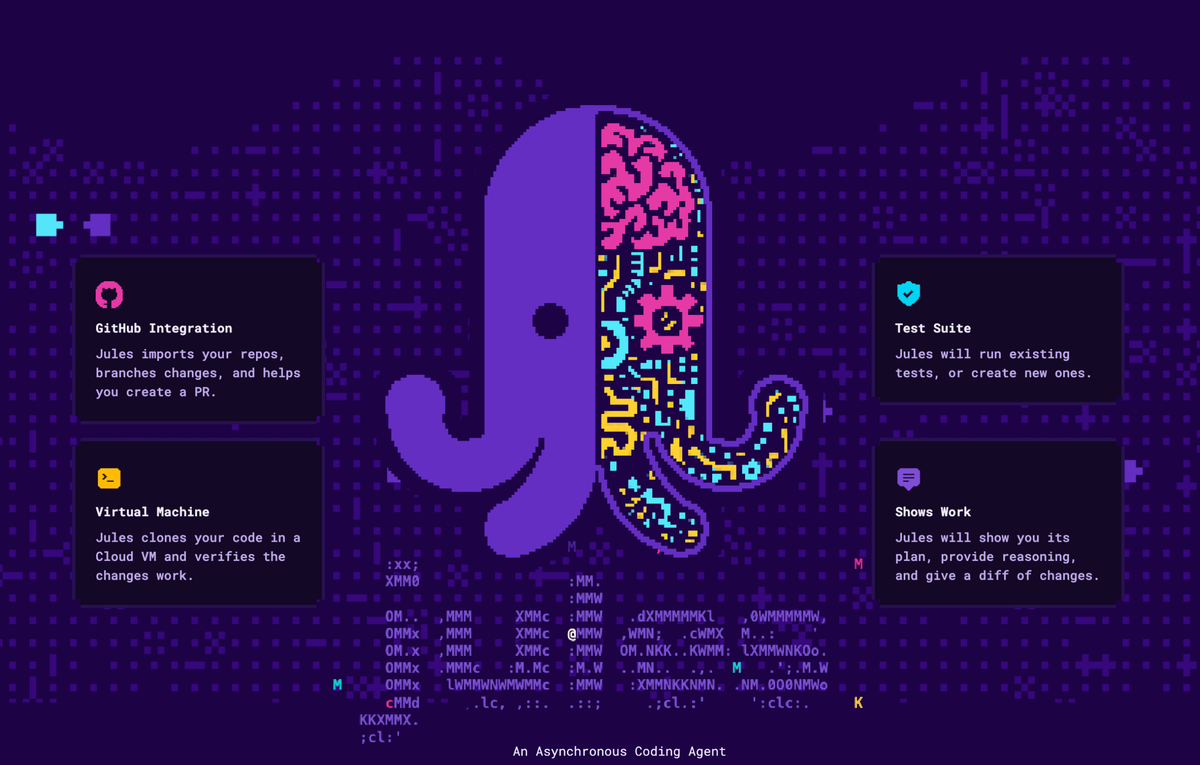
Google 在 I/O 2025 正式推出的 AI 程式碼助理 Jules,讓這個痛點變成歷史。
我實測用一句話,讓 Jules 幫我自動補上完整的 Node.js 後端架構、API 路由、MongoDB 資料儲存程式,甚至自動開 PR、推回 GitHub。整個過程,我甚至沒打開 VSCode。
- Jules 是什麼?和 Copilot 有何不同?
- 我的實測任務:「幫我加後端」
- 它自動幫我補上的完整後端架構
- Step by Step:Jules 操作流程教學
- 使用心得:Jules 是會思考的 AI 工程師
- Jules 適合誰?
- 【Vibe Coding Tutorial】Google Jules in Action: Auto-Generate Backend + API with Just One Sentence—No VSCode Needed!
Jules 是什麼?和 Copilot 有何不同?
Jules 是 Google 研發的 AI 程式碼代理工具(code agent),從任務指令開始,自動完成後端架構設計與 Pull Request 發送。它不只是自動補完,而是真正理解整個專案架構並主動修改。
特點包括:
- 直接讀取 GitHub repo 並分析歷史提交與結構
- 擬定變更計劃,說明修改目的
- 自動生成程式碼(如 API、資料夾架構、註解)
- 自動開 PR、附上語音摘要(Codecast)
Jules 更像是一位懂開發流程的副手,而不是一台自動貼 code 的機器。
我的實測任務:「幫我加後端」
我給 Jules 的專案是這樣的結構:
nutriscan/
├── api/analyze.js
├── index.html
└── .env
這是一個前端小專案,用 Gemini Vision 分析食物。我只輸入了一句:
create backend for this repo
它自動幫我補上的完整後端架構
Jules 讀取了我的前端資料夾後,幫我在 GitHub 倉庫建立一個新分支,並補上以下這些檔案:
nutriscan/
├── server/
│   ├── config/db.js
│   ├── models/DiaryEntry.js
│   ├── routes/api.js
│   ├── server.js
│   ├── package.json
│   └── .env.example
還自動補了以下內容:
- MongoDB 連線程式碼
- Express API 路由(GET /api/history, POST /api/diary)
.env.example告訴我該補哪些參數- 自動 commit 並開 PR

Step by Step:Jules 操作流程教學
前置條件
- 你已有一個 GitHub 上的前端專案(我的是 NutriScan)
- 擁有 Google 帳號,進入 jules.google
Step 1. 登入並選擇倉庫
- 點「Start a task」
- 授權存取你的 GitHub 倉庫
- 選你要操作的 repo(例如:nutriscan)
- 選擇分支(通常是 main)
Step 2. 輸入任務指令
我輸入:
create backend for this repo
Jules 會自動分析專案結構,給出它的變更計劃。
Step 3. 查看並核准變更計劃
- 它會告訴你要新增哪些檔案、改哪些檔案
- 每個檔案都附上註解與目的說明
- 按下「Approve」開始執行
Step 4. 程式碼生成與 PR 自動化
- Jules 幫你新建分支
- 加上後端檔案
- 發出 Pull Request
- 附上程式變更摘要 + 語音講解(Codecast)

Step 5. 合併 PR,啟動後端
- PR 沒問題就按下 merge
- 本機執行:
cd servernpm installnpm start你會看到:
Server running on port 3000
MongoDB Connected...
(本篇不講資料庫設定細節,重點在於 Jules 自動生成的程式碼)
使用心得:Jules 是會思考的 AI 工程師
最讓我驚艷的是:
- 資料夾架構完整(有 routes, models, config)
- 命名合理,不是 test.js 這種糊弄
- 附上 .env.example,自動標示該補哪些參數
- 自動生成 PR 流程,省去大量上下游溝通時間
這不只是「AI 幫我寫幾行 code」,而是讓我直接獲得一整個功能模組、開發流程、架構規範的體驗。
這就是我理解中的 Vibe Coding 精神:
我負責創意與需求,AI 負責架構與實作。
Jules 適合誰?
- 前端開發者,想補上後端卻不知道怎麼開始
- AI 專案開發者,想快速建立原型
- 學生專題、黑客松參賽者,時間寶貴想快出 demo
- 想了解「Prompt 工程」如何應用在程式實作的人
如果你也想體驗「Vibe Coding」的未來式開發流程,Jules 絕對是今年不能錯過的工具。
從創意 → 結構 → 實作 → PR,一句話就能打通整條開發鏈。
【Vibe Coding Tutorial】Google Jules in Action: Auto-Generate Backend + API with Just One Sentence—No VSCode Needed!
Have you ever built a beautiful HTML front end using tools like Canva AI or Lovable, only to get stuck when it comes to the backend? You don’t know how to write the server logic, where to store the data, or even where to begin?
That struggle may soon be over. At Google I/O 2025, Google officially launched its brand new AI coding assistant, Jules—and it’s a game changer.
I tested it myself: with just one sentence, Jules generated a full Node.js backend, RESTful APIs, MongoDB integration, and even created a pull request (PR) pushed back to GitHub. I didn’t even open VSCode throughout the entire process.
What Is Google Jules? How Is It Different from Copilot?
Jules is an AI code agent developed by Google. Unlike Copilot’s line-by-line autocompletion, Jules is designed to complete an entire task—such as adding a backend—by understanding your project as a whole and executing meaningful code changes.
Key Features:
- Reads your GitHub repo and analyzes commit history and project structure
- Proposes change plans with clear justifications
- Generates and refactors code (e.g., APIs, folders, documentation)
- Automatically opens PRs with code diffs and audio summaries (Codecast)
Jules acts more like a project-aware assistant than a code-suggestion tool. It’s a teammate that understands context.
My Real-World Task: "Help Me Add a Backend"
Here’s the structure of the front-end project I provided to Jules:
nutriscan/
├── api/analyze.js
├── index.html
└── .env
It’s a small front-end project that uses Gemini Vision for food analysis. All I typed was:
create backend for this repoWhat Jules Did Automatically:
Jules scanned my repo and created a new GitHub branch with the following files:
nutriscan/
├── server/
│   ├── config/db.js
│   ├── models/DiaryEntry.js
│   ├── routes/api.js
│   ├── server.js
│   ├── package.json
│   └── .env.example
It also included:
- MongoDB connection setup
- Express API routes (GET /api/history, POST /api/diary)
- An
.env.examplefile indicating required parameters - Auto commit and pull request creation
Step-by-Step Guide: How to Use Jules
Prerequisites
- You have a GitHub repository with a front-end project (mine was NutriScan)
- You have a Google account
Step 1. Log in and Select Repository
- Go to jules.google
- Authorize GitHub access
- Choose the repo and branch (usually
main)
Step 2. Enter Your Task Prompt
I typed:
create backend for this repoJules analyzed the repo and returned a proposed change plan.
Step 3. Review and Approve Plan
- You’ll see a list of files to be added or modified
- Each file includes annotations and purpose explanations
- Click “Approve” to proceed
Step 4. Code Generation & PR Automation
Jules will:
- Create a new branch
- Add backend files
- Open a pull request
- Include code diffs and a Codecast (audio walk-through)
Step 5. Merge the PR and Launch the Backend
Once the PR is merged, you can run it locally:
cd server
npm install
npm start
You’ll see:
Server running on port 3000
MongoDB Connected...
(Note: This tutorial skips detailed DB setup. Focus is on Jules-generated code.)
My Take: Jules Feels Like an AI Engineer That Thinks
What amazed me the most:
- Folder structure is modular and clean (
routes/,models/,config/) - Semantic naming (no more
test.jsor random filenames) - Comes with
.env.exampleto guide environment setup - Full PR workflow—no manual file pushing or explanation writing needed
This isn’t “AI writing a few lines of code.” It’s a full module + workflow + standards setup experience.
That’s what I call Vibe Coding:
I focus on creativity and needs—AI handles the architecture and implementation.
Who Should Use Jules?
- Front-end developers struggling to build a backend
- AI developers needing rapid prototyping
- Students and hackathon participants with tight deadlines
- Anyone curious about prompt engineering in real coding scenarios
Final Thoughts
If you want to experience the future of development—where ideas flow directly into functional systems—Jules is a must-try in 2025.
From concept → structure → implementation → PR… Jules connects the dots with just one command.